

3D & CAD Export
Export your design and its surroundings as GLB for visualisation, Rhino 3DM for design development, or DXF for 2D site plans, with the unit mix if you like.
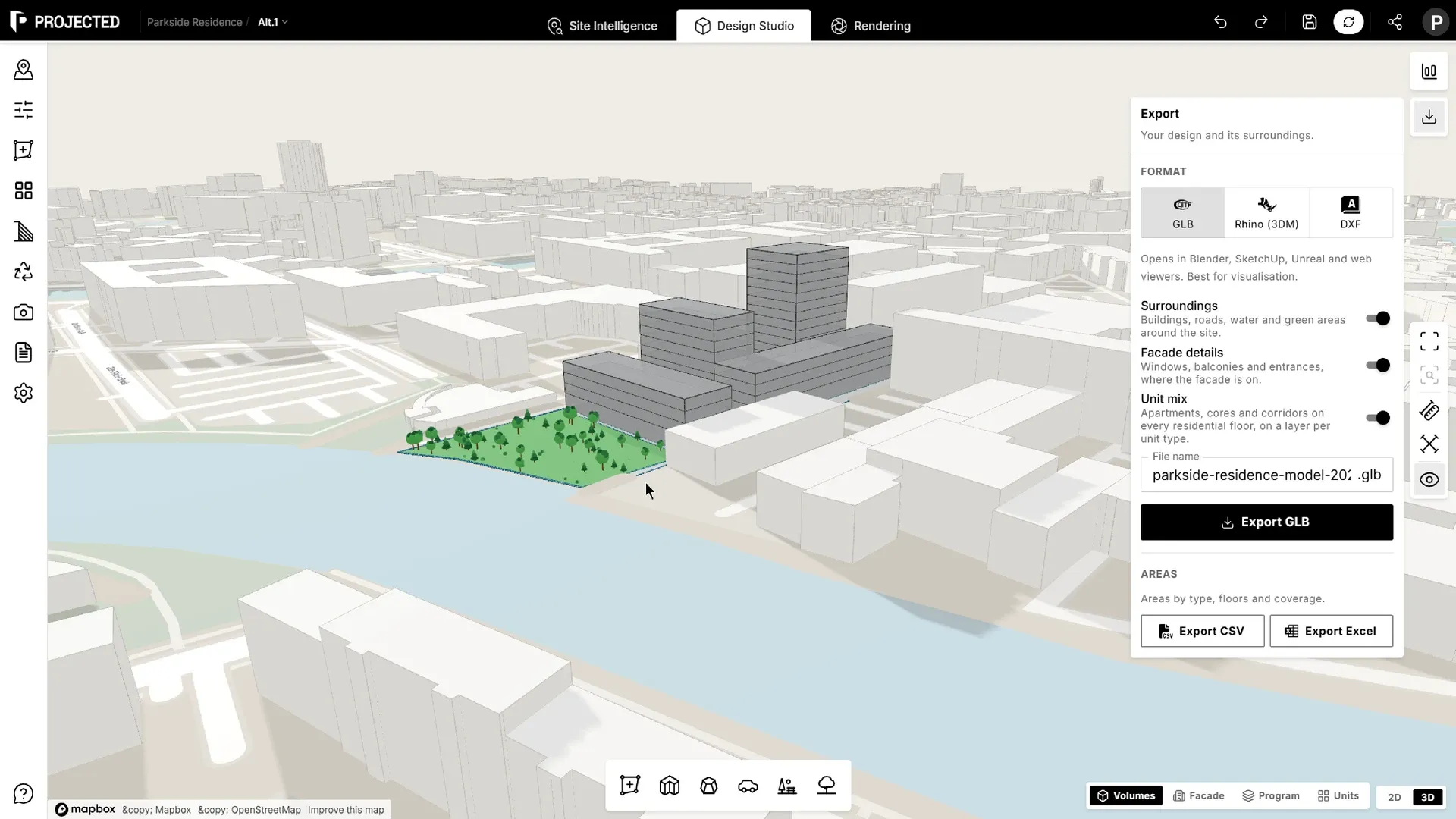
Click Export at the top right of the editor. Choose a format, the options and a file name, then click Export. Files are created in your browser and downloaded straight away.
Formats
| Format | Best for | Opens in |
|---|---|---|
| GLB | Visualisation and web viewers | Blender, SketchUp, Unreal, Twinmotion, online viewers |
| Rhino (3DM) | Design development | Rhinoceros, Grasshopper |
| DXF | 2D site plans | AutoCAD, ArchiCAD, Revit, QGIS, any CAD tool |
Options
- Surroundings: include the context around the site. In GLB and Rhino: buildings, roads, water and green areas. In DXF: neighbouring buildings, roads, water, green areas and terrain contours.
- Facade details: include windows, balconies and entrances, for buildings whose facade is on (GLB and Rhino).
- Unit mix: include the split of the residential floors into apartments, as in the Units view. In GLB and Rhino: the units, cores and corridors of every residential floor. In DXF: a typical residential floor of each building. See Unit mix below.
Coordinates
All formats use metres, with the origin at the centre of the site and north along the −Z axis (the Y axis in plan for DXF). The GLB file stores the site’s latitude and longitude, and the Rhino file sets its earth anchor point, so the model can be geolocated in other tools.
GLB
A single binary glTF file with the design in its real colours (as in the renders), ready to drop into a visualisation tool.
Rhino (3DM)
The model is organised in layers:
- Design:: your buildings, volumes, plots, parking, parks and trees, and with Unit mix, the units (Design::Units),
- Context:: the surroundings,
- Site plan:: 2D plan curves: plot boundaries, setbacks, footprints, parking markings and context outlines.
Each building carries its data (name, floors, height, areas, uses) as user text, which you can read in Rhino or Grasshopper. Buildings with underground levels also carry their number of levels below ground, their area, their uses and the estimated parking places. The levels themselves are not modelled. Each tree planting carries its number of trees, type, height and crown.
DXF
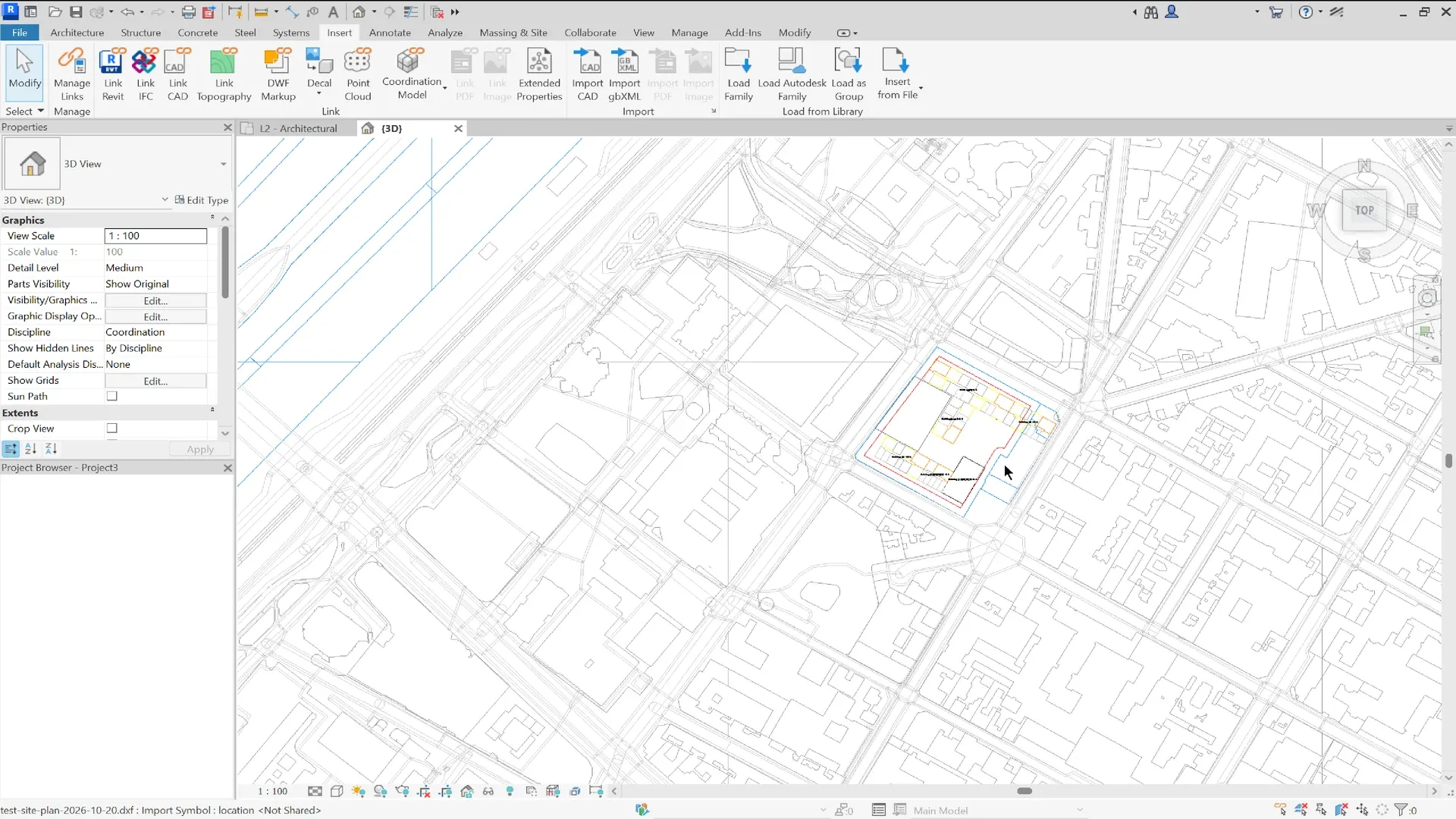
A 2D site plan (DXF R12, for the widest compatibility) on named layers: plot, setbacks, building footprints, parking and green islands, and, with Surroundings, the context and terrain contours. With Unit mix, the units of a typical floor are added (see below).
Unit mix
With Unit mix on, the export carries the split of the Unit Mix panel, with the same targets and the same plans:
| Format | Contents |
|---|---|
| GLB | A Design Units group with a group per building, and a solid per unit, core and corridor on every residential floor, in the colours of the Units view |
| Rhino | The same solids on a layer per unit type (Design::Units::2 bed…), plus Cores and Corridors. Each unit carries its building, level, type, area and whether it is in its range as user text. The typical floors are also drawn on the Site plan:: layers below |
| DXF | A typical residential floor of each building, as closed outlines on a layer per type (UNITS-STUDIO, UNITS-1-BED…), with UNITS-CORES, UNITS-CORRIDORS, and each unit’s type and area as text on UNIT-LABELS |
Unit solids stand 5 cm inside the facade and stop 15 cm under the slab above, as in the Units view, so they don’t overlap the massing: hide the buildings to see them. Each unit type’s layer takes the type’s colour.
Area schedules
The Areas tab of the Export dialog writes the area schedule as CSV or Excel.