

Shadow Study
See the shadows of your design and its neighbours at any date and time.
Open Shadow Analysis from the left rail in Design Studio.
Shadows
Shadows are on by default. They are cast by the sun’s real position at the site, by your design and by the surrounding buildings.
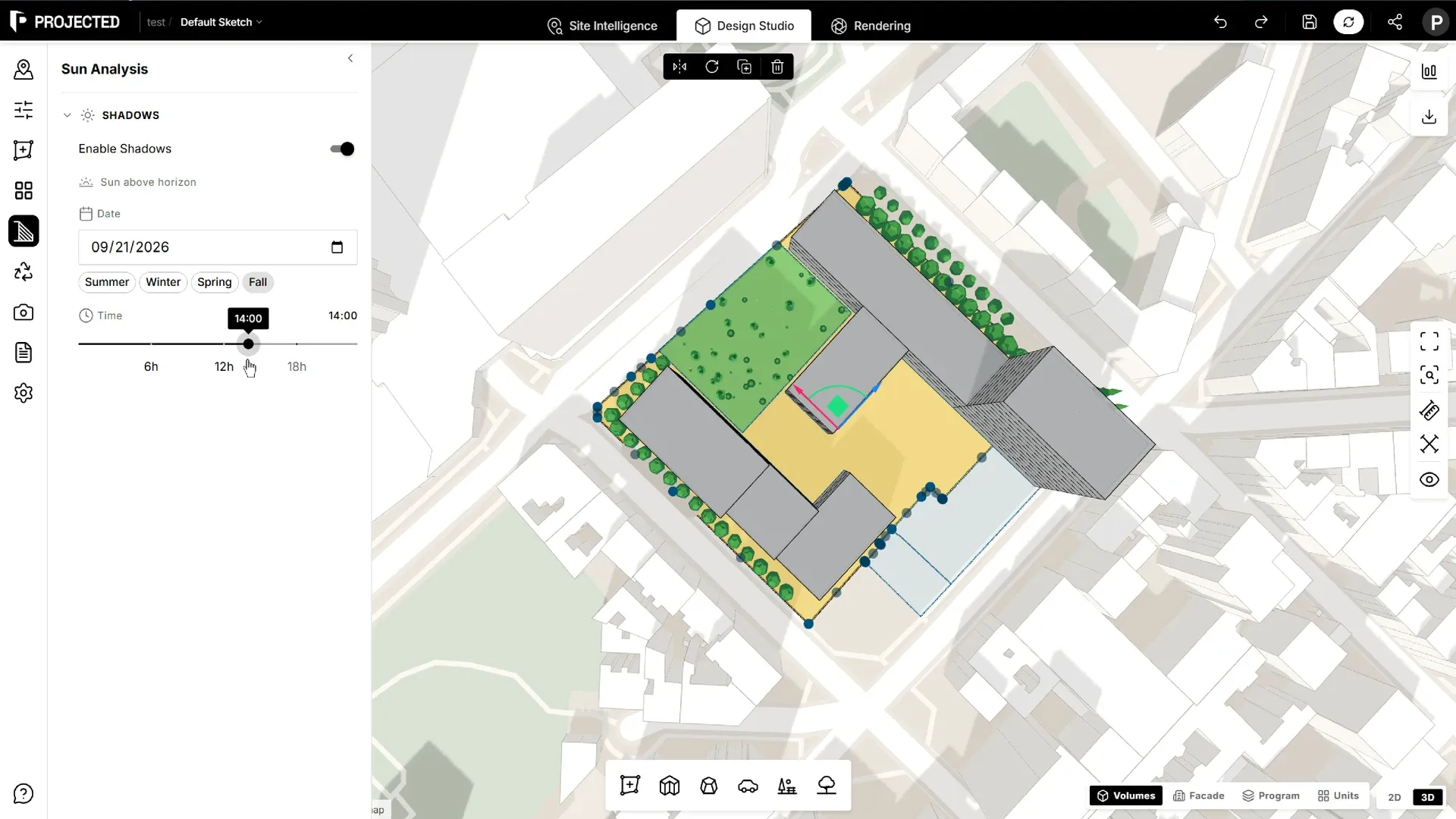
- Enable Shadows turns them on or off.
- Date sets the day of the year. The presets jump to the Spring Equinox, Summer Solstice, Fall Equinox and Winter Solstice.
- Time sets the hour of the day. The panel shows when the sun is below the horizon.
Shadow settings are saved with the sketch.
Tip: Check the winter solstice around midday: it is the day of longest shadows. If a courtyard or a neighbour’s garden is in shadow then, it will be for much of the winter.
Shadows in reports
The Sun & shadow analysis section of PDF reports shows plan views of the shadows at 9:00, 12:00 and 15:00 on the March equinox and the June and December solstices. It adds the sunrise, sunset, daylight length and noon sun altitude for each day.