

PDF Reports
Build a project report from ready-made sections (site, massing, areas, sun, climate, carbon, zoning) and download it as a PDF.
Projected writes a complete, print-ready A4 landscape report of your project: maps, model views, site plans, tables and charts. You choose the sections and their order.
Creating a report
- Open Reports from the left rail.
- Click Create New Report.
- Give the report a name, for example “Planning pre-application”.
- Pick a Quick Start preset, or build your own layout:
- drag sections from Available Sections into the Report Layout, or click Add to report,
- drag sections to reorder them, and remove the ones you don’t need.
- Click Generate Report.
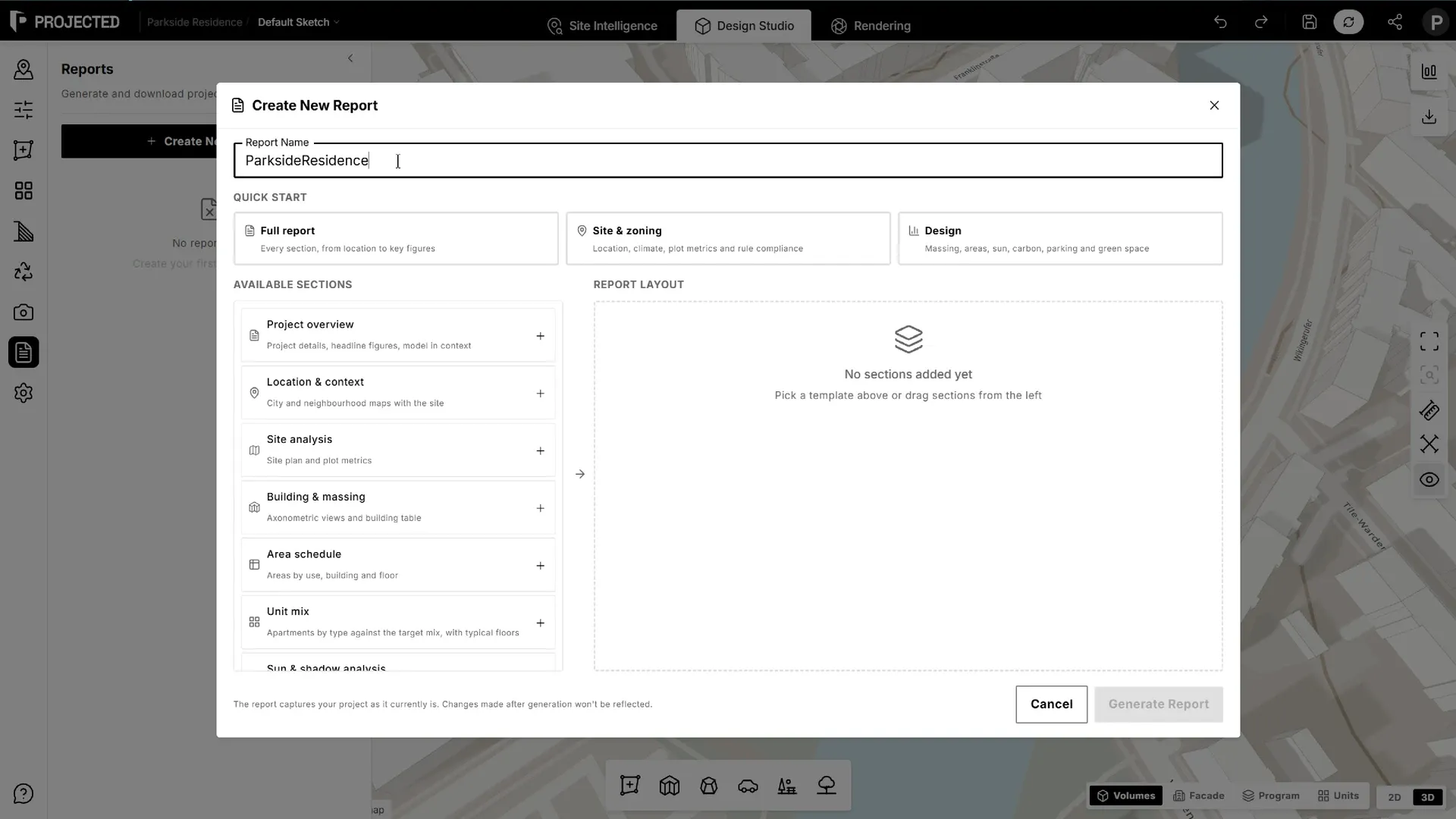
Generation takes a few seconds: Projected renders the model views, fetches the maps, lays out the PDF and saves it to the project. When it’s done, click Download PDF.
Note: The report captures the project as it is when you generate it. Generate a new report after changing the design.
Presets
| Preset | Sections |
|---|---|
| Full report | Every section |
| Site & zoning | Project overview, location, site analysis, climate, zoning compliance, key figures |
| Design | Project overview, massing, area schedule, unit mix, sun & shadow, carbon, parking, green areas, key figures |
Sections
| Section | Contents |
|---|---|
| Project overview | Project details, headline figures and the model in its context |
| Location & context | City and neighbourhood maps with the site outlined |
| Site analysis | Site plan and plot metrics |
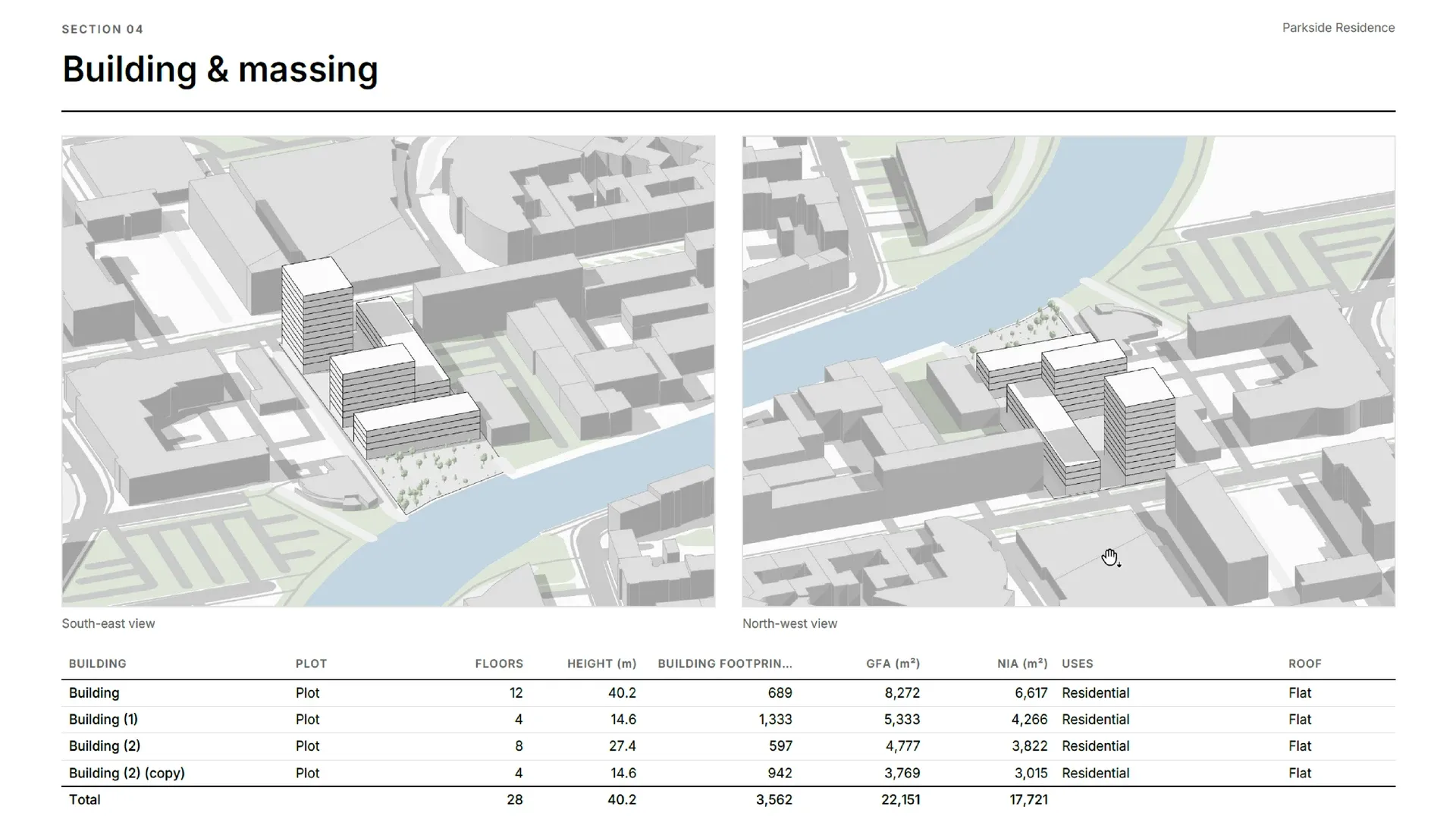
| Building & massing | Two axonometric views and a table of buildings: floors, height, footprint, GFA, NIA, uses and roof, plus the below-ground area when there are underground levels |
| Area schedule | Areas by use, building and floor, and the levels below ground |
| Unit mix | Units by type against the target mix, a table by building and a typical residential floor of each building. See Unit Mix. |
| Sun & shadow analysis | Shadow plans at the equinox and solstices, with sunrise, sunset and daylight |
| Climate | Weather station data: temperatures, degree days, design conditions, comfort, solar radiation and wind |
| Carbon | Embodied and operational carbon, energy use and the LETI rating. See Carbon Analysis. |
| Parking | Places, areas and ratios, with the parking plan, and the estimated underground places |
| Green areas | Parks, green islands and the green ratio |
| Zoning compliance | Height, floors, FAR, coverage and setback checks for each plot |
| Key figures | The project’s numbers at a glance, with the below-ground area and uses when there are underground levels |
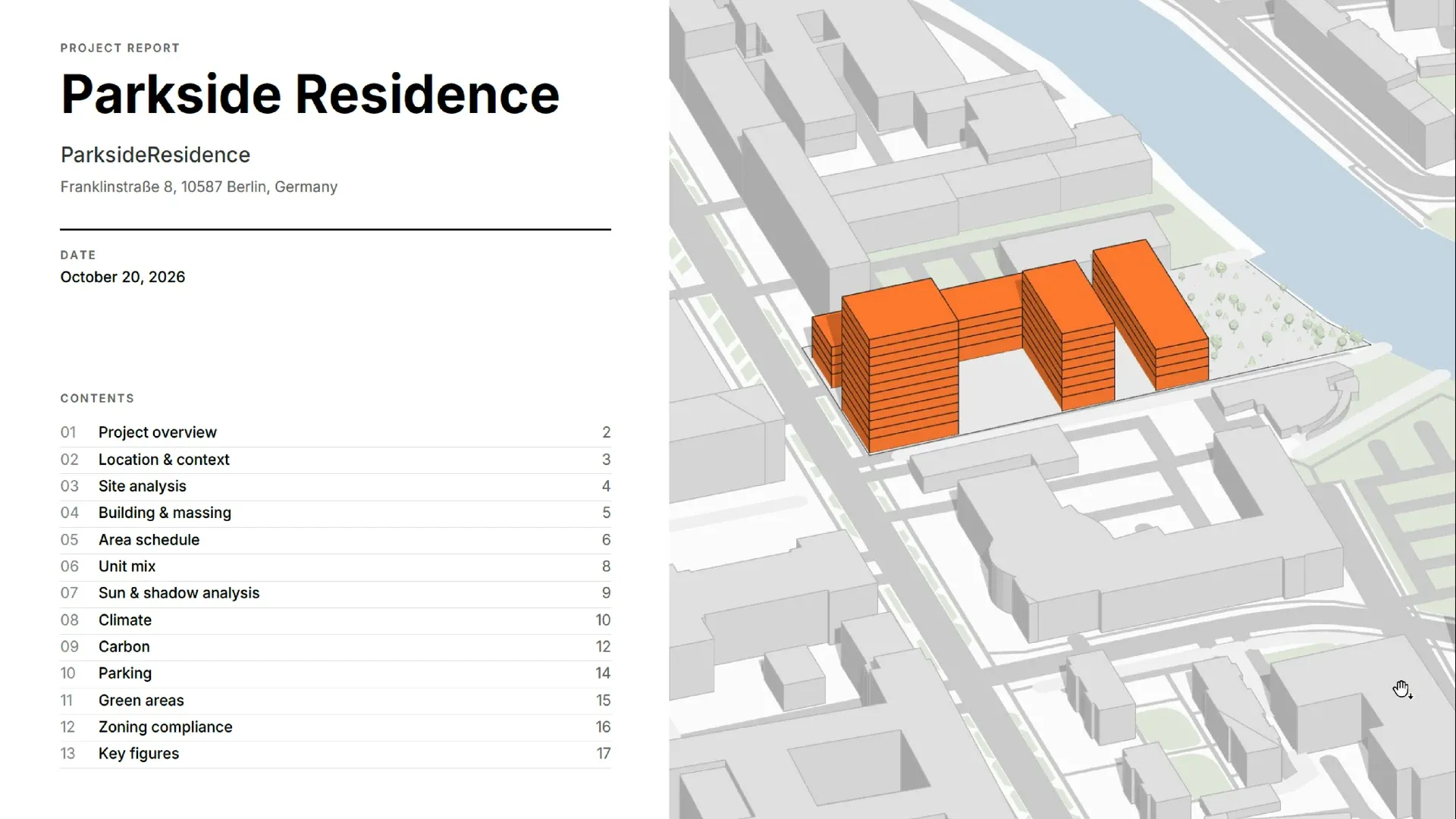
The cover page lists the contents with page numbers. Every page has the project name, a footer and page numbers.
Saved reports
Every report is saved with the sketch and listed in the Reports panel with its date, page count and size. Download it again at any time, or remove it from the list.
Language and units
Reports are written in your interface language (English or French), with numbers and dates formatted for that language.