

Surroundings
Amenities, travel times and green spaces around your site, within an analysis radius you choose.
Open Surroundings from the left rail in Site Intelligence.
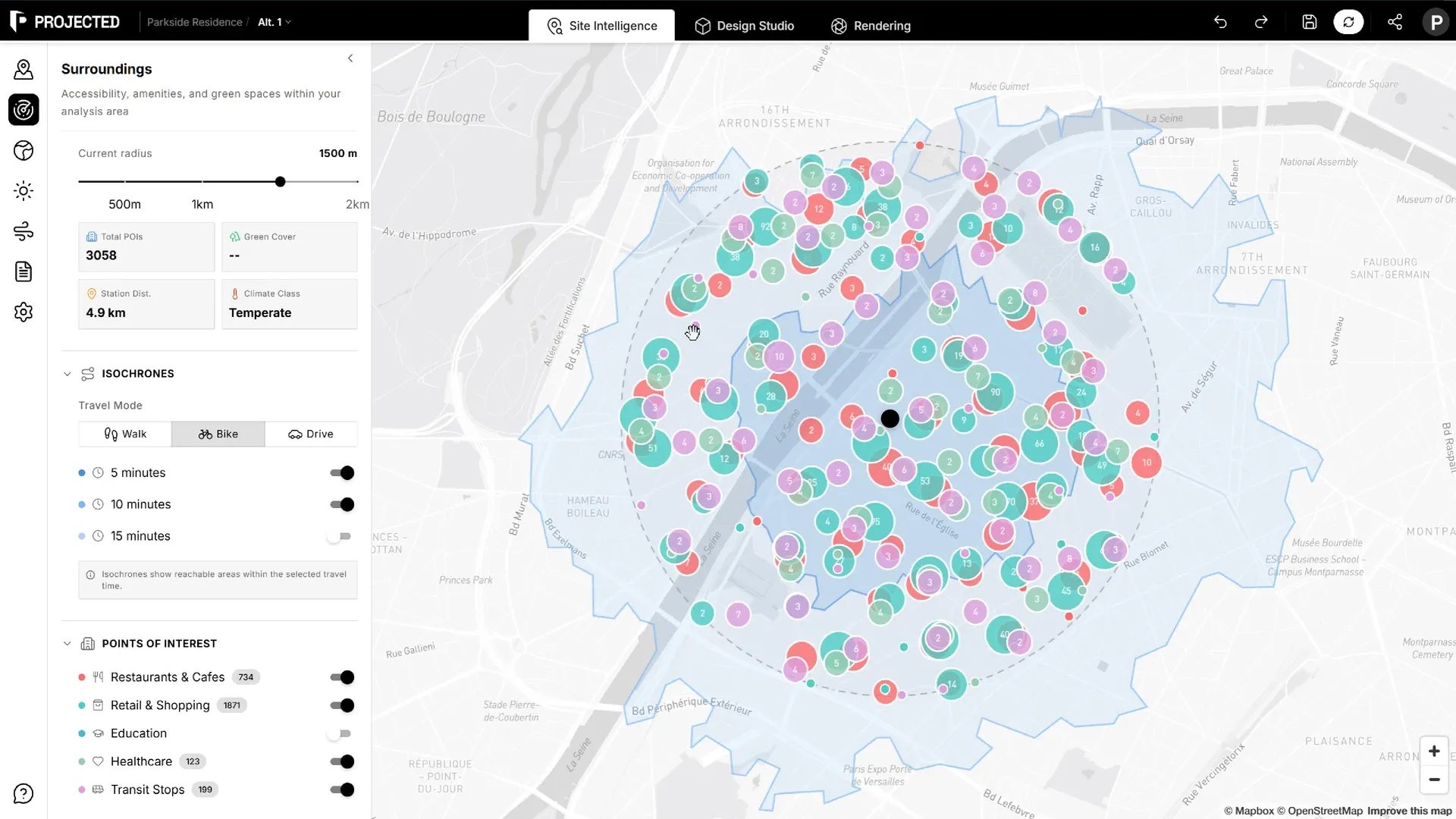
Analysis radius
Set the Analysis Radius from 200 m to 2 km. The circle on the map shows the study area. Every count and percentage in the panel is for that circle.
Summary
| Figure | What it means |
|---|---|
| Total POIs | Number of points of interest in the radius |
| Green Cover | Share of the study area covered by green spaces |
| Station Dist. | Distance to the weather station used by the climate panels |
| Climate Class | Tropical, temperate, continental, subarctic or polar, from the station’s temperatures |
Points of interest
Points of interest come from OpenStreetMap, grouped in categories:
- Education
- Healthcare
- Restaurants & Cafes
- Retail & Shopping
- Transit Stops
- Green Space
Each category shows its count and appears on the map with its own colour.
Isochrones
Isochrones show the area you can reach from the site within a travel time.
- Choose a Travel Mode: Walk, Bike or Drive.
- Turn on the travel times you want: 5, 10 or 15 minutes.
Use them to check, for example, which schools or stations are within a 10-minute walk.
Green spaces
Turn on Show Green Spaces to outline parks, gardens, forests and recreational areas on the map. The panel shows:
- Spaces found: the number of green spaces in the radius.
- Green area: their total area.
- Green Space Index: how green the study area is, from their coverage.
Note: Coverage is approximate, because some green spaces extend beyond the radius.
If the data does not load
Points of interest come from public OpenStreetMap servers, which can be busy. If the panel shows an error, click Retry after a moment, or try a smaller radius.