

Parking
Draw a parking area and get an automatic layout of places, aisles and green islands, with entrances and accessible places.
Drawing a parking area
- Click Add Parking in the main toolbar.
- Click to place the corners of the parking boundary (at least 3 points). Press Tab, or click Input, for exact lengths.
- Close the shape to finish.
Projected fills the area with parking places, internal roads and green islands, and counts the places.
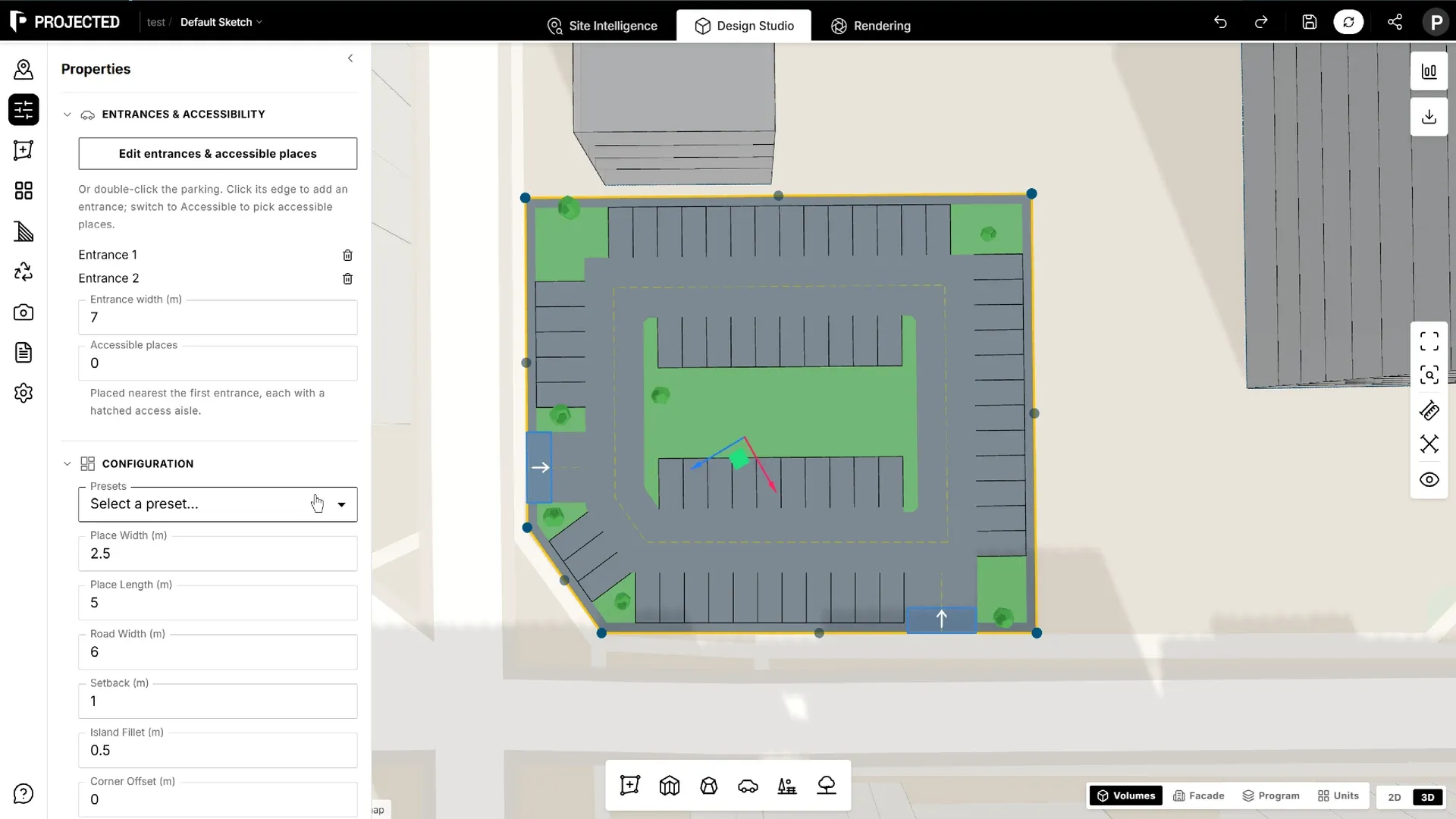
Layout settings
Select the parking area and open Properties.
Presets apply common national dimensions:
| Preset | Place width | Place length | Road width |
|---|---|---|---|
| US Standard | 2.7 m | 5.5 m | 7.3 m |
| EU Standard | 2.5 m | 5.0 m | 6.0 m |
| UK Standard | 2.4 m | 4.8 m | 6.0 m |
| Canada | 2.6 m | 5.5 m | 7.0 m |
| Australia | 2.4 m | 5.4 m | 6.2 m |
You can then fine-tune:
| Setting | What it controls |
|---|---|
| Place Width / Place Length | Size of each parking space |
| Road Width | Width of the internal aisles |
| Setback | Distance kept clear from the boundary |
| Island Fillet | Fillet radius of the green islands |
| Corner Offset | Space left free at the corners |
The layout updates as you change any value. The panel shows the number of Parking Places.
Entrances and accessible places
Each parking area can have one or more entrances and a number of accessible places.
In Properties → Entrances & accessibility:
- Entrance width: the width of new entrances.
- Accessible places: how many places are accessible. They are placed nearest the first entrance, each with a hatched access aisle.
The parking editor
To place entrances and accessible places by hand, click Edit entrances & accessible places, or double-click the parking area.
| Tool | Click | Drag | Del |
|---|---|---|---|
| Entrances | Click the edge to add an entrance | Move an entrance along the edge | Remove the selected entrance |
| Accessible | Click a place to make it accessible, or not |
Use Narrower and Wider to change the selected entrance’s width. Click Done, or press Esc, to leave the editor. Ctrl+Z undoes steps inside the editor.
Once you have picked accessible places by hand, Properties says so. Click Back to automatic placement to let Projected place them again.
Editing the boundary
Select the parking area and drag its corners to reshape it. The layout is recalculated.
Parking in figures and reports
- The Statistics panel shows the parking places, including accessible places, for the site or a plot.
- The Parking section of PDF reports lists each area with its places and accessible places, and ratios such as area per place and places per 1,000 m² of GFA.
- Green islands count towards the green area.