

Facades & Roofs
Give buildings windows, balconies, an entrance and a pitched roof. Facades feed the renders, the exports and the carbon analysis.
The Facade view
Click Facade in the view bar to see buildings with their windows, balconies and entrances. Select a building to edit its facade in Properties.
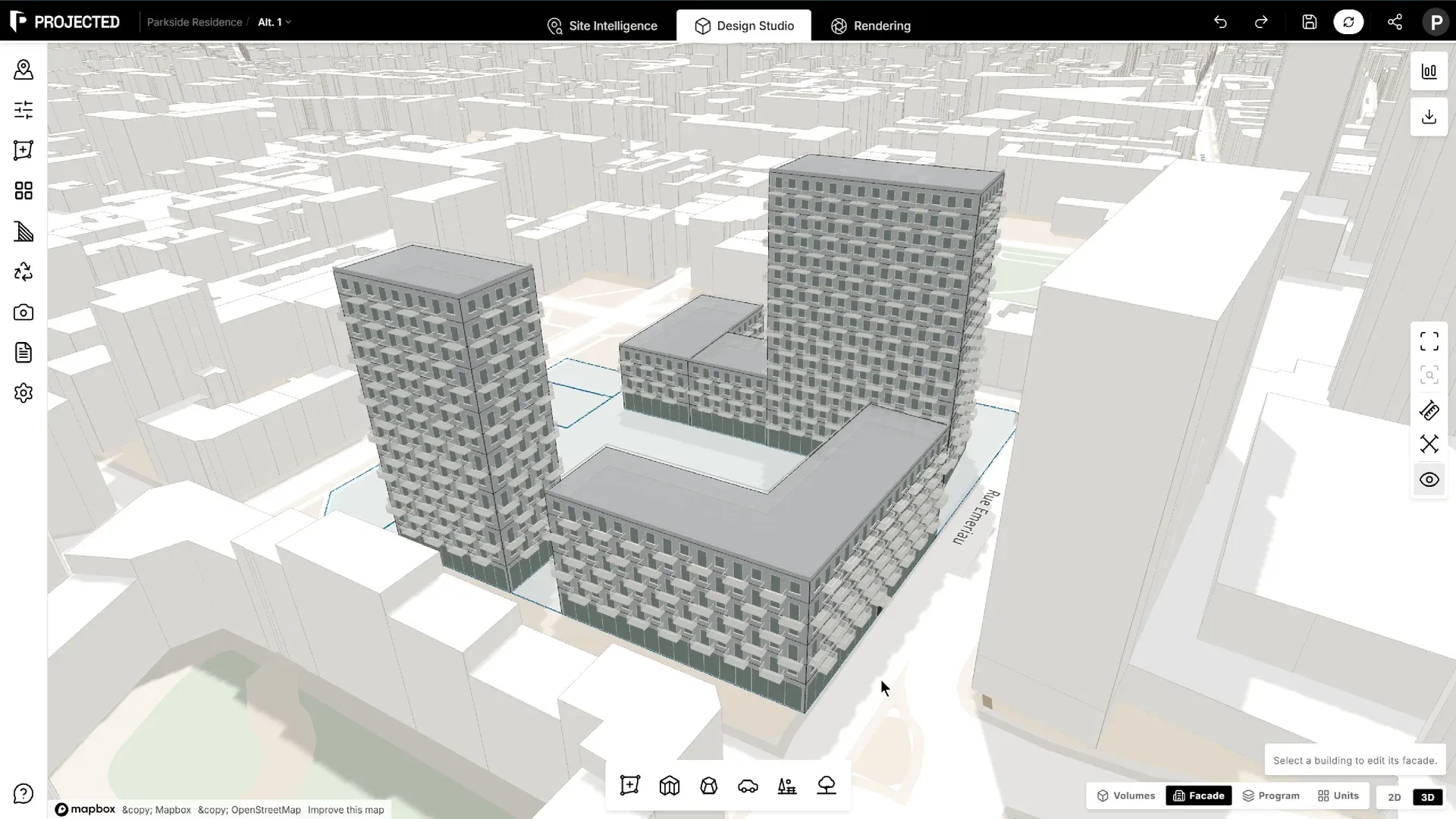
The facade is generated from the building’s footprint and floors, so it follows every change to the massing.
Facade settings
Open Properties → Facade on a selected building.
Show in Facade view turns the facade on or off for that building. When it is off, the building stays plain massing in the Facade view and in renders. The carbon analysis then uses its glazing ratio setting for that building.
Windows
| Type | Description |
|---|---|
| Punched windows | Individual windows in a solid wall |
| Ribbon windows | Continuous horizontal bands of glazing |
| Curtain wall | Glazing over the full height of each floor |
Adjust the window Width, Height, Spacing, Sill height and the Corner margin kept clear at each corner. Ribbon and curtain walls also have a Mullion spacing.
Ground floor
- Auto: a shopfront when the ground floor is retail or commercial, windows otherwise.
- Windows or Shopfront: force one or the other.
- Entrance door: adds an entrance in the middle of the longest wall.
Balconies
| Option | Where balconies go |
|---|---|
| None | No balconies |
| Alternating | Every other window, staggered between floors |
| Every window | In front of every window |
| Continuous | Along the whole length of each wall |
Set the balcony Width and Depth.
Parapet
On flat roofs, Parapet height sets the wall around the roof edge.
Roofs
Open Properties → Roof on a selected building.
| Shape | Description |
|---|---|
| Flat | The massing keeps a flat top. |
| Single pitch (shed) | One slope. Set its Slope direction. |
| Gable (two pitches) | Two slopes meeting at a ridge. |
| Hip (all sides) | Slopes on every side. |
| Mansard | A steep lower pitch and a shallow upper pitch. Set the Lower pitch, Upper pitch and Break height. An upper pitch of 0° gives a flat top. |
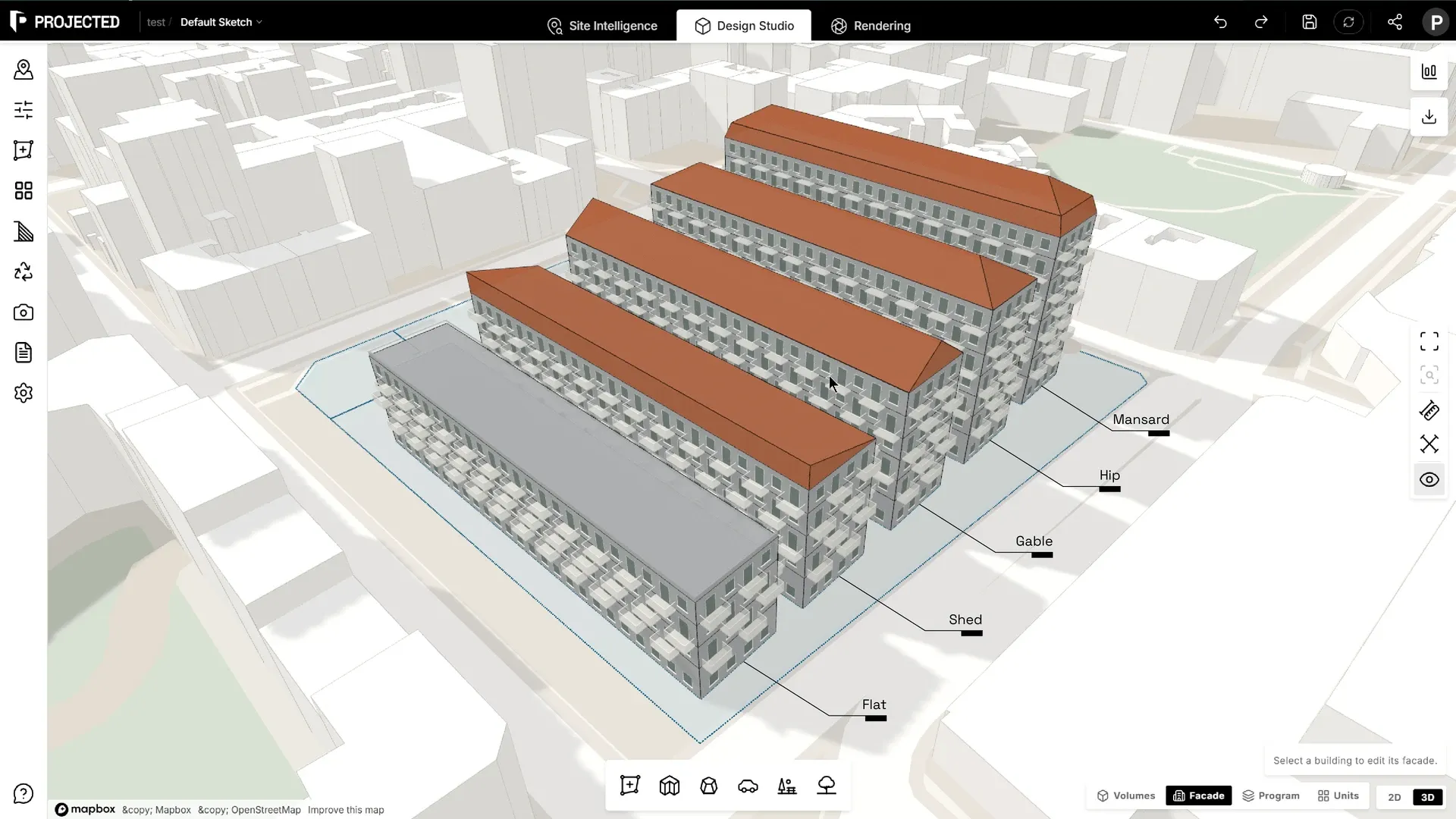
Other settings:
- Pitch (°): the slope angle.
- Align to building: turns the slope to run across the longest wall.
- Overhang: how far the roof extends past the walls.
- Roof finish: Clay tiles, Slate or Zinc, shown in the facade view and in renders.
- Count roof in building height: adds the roof rise to the building’s height, and to the site-rule height check.
The panel shows the Eave height, Ridge height, Rise and Roof area.
Note: Some footprints can’t take some roofs, for example a hip roof on a very irregular shape. The panel then says the footprint cannot be roofed with these settings. Try another shape or angle.
Where facades and roofs are used
- AI rendering reads the windows and balconies.
- 3D & CAD Export includes them when Facade details is on.
- Carbon Analysis measures the glazing on each orientation, and uses the roof area for roofs and photovoltaics.