

Area Schedule
Export the areas of your design (by plot, use, building and floor) and its unit mix as an Excel workbook or a CSV file.
The area schedule lists every area of your design in tables you can use in a spreadsheet, a feasibility model or a planning application.
Exporting
- Click Export at the top right of the editor.
- Open the Areas tab.
- Click Export Excel or Export CSV.
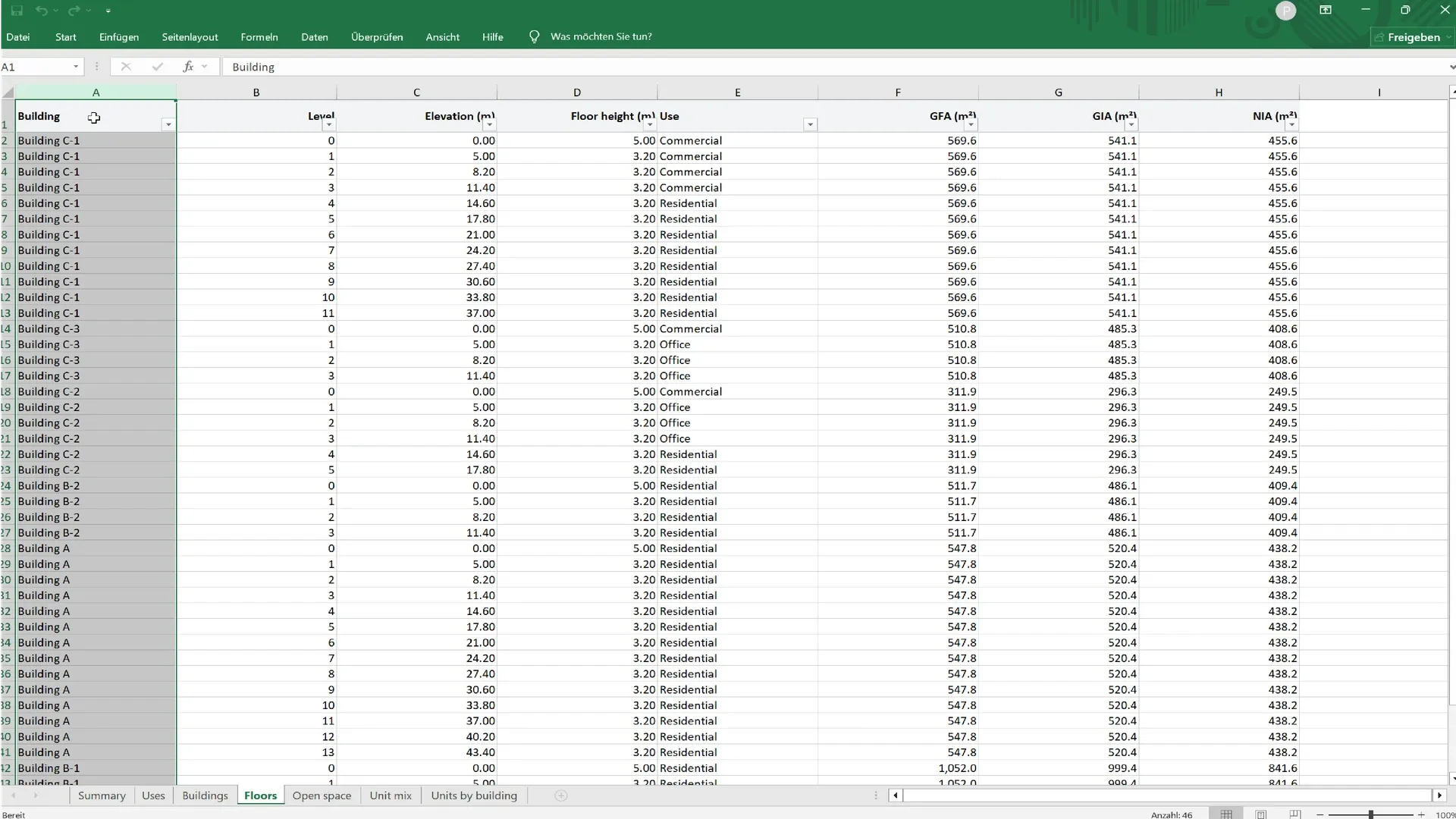
What it contains
| Table | Contents |
|---|---|
| Summary | Per plot: plot area, buildings, footprint, site coverage, GFA, GIA, NIA, FAR, highest building, most floors and parking places, each next to its site-rule limit, and whether all rules are met |
| Uses | Each use (residential, office, retail…) with its number of floors, GFA, GIA, NIA and share |
| Buildings | Each building with its plot, floors, height, footprint, GFA, GIA and NIA |
| Floors | Every floor of every building, with its level, elevation, height, use, GFA, GIA and NIA |
| Below ground | Each below-ground use (parking, storage…) with its number of levels, area and share, and the estimated parking places |
| Below-ground levels | Every level below ground of every building, with its level, elevation, height, use and area |
| Open space | Parks and parking areas with their areas and parking places |
| Unit mix | Each unit type with its target and achieved share, units, average area, total area and off-size units |
| Units by building | Each building with its residential floors, units per floor, units, unit area, residential GFA and efficiency |
The figures are the same as in the Statistics panel and in PDF reports, with GIA and NIA at 95 % and 80 % of GFA. The unit tables follow the Unit Mix panel, and are left out when no building has residential floors.
When buildings have underground levels, the Summary gets a below-ground area column and Buildings gets columns for the levels below ground and their area. Below-ground area is never included in GFA or FAR. Without underground levels, these columns and the two below-ground tables are left out.
Excel or CSV
- Excel (.xlsx): one sheet per table, with numbers formatted as numbers. The best choice in most cases.
- CSV: plain text, for importing into other tools. When your interface language uses a decimal comma (such as French), the file uses
;as separator and,for decimals, so it opens correctly in a local spreadsheet.
The export is empty until you add plots, buildings, parks or parking.